Failed payments
What happens when an installment can't be charged, from trying another saved card and retrying it, to emailing an invoice and cancelling the plan.
All docs
Installments are charged to the card saved on the order. Cards expire, run out of funds or get blocked by the bank, so the app works through a few steps before giving up on a payment.
1. Try another saved card
If the customer has another card saved on the order, the app tries it a minute later.
2. Retry the same installment
If every saved card is declined, the app tries the same installment again 5 days later, and again 5 days after that. Each retry tries the saved cards again.
A retry charges the installment that failed, for the same amount. It doesn't use up one of the plan's payments, so the rest of the schedule stays as it was. Once a retry succeeds, the next installment follows the plan's usual schedule from that day. Plans with a fixed charge day snap back onto it.
3. Cancel the plan
If the installment is still unpaid 10 days after it first failed, the plan is cancelled. With the default 10 days that means: declined on day 0, retried on day 5, retried on day 10, and cancelled if that fails too.
To wait longer or shorter, set Settings > Refunds > Cancel plans with failed charges automatically after to a number of days. Retries still happen every 5 days, and the last one falls on the cancellation day.
When a plan is cancelled this way, no more installments are charged and any unpaid invoices for it are deleted. The Shopify order itself isn't cancelled or refunded, so check it and decide whether to refund, cancel or follow up with the customer.
When the bank needs the customer to approve the payment
Some banks reject charges made without the customer present, for example when they require 3D Secure authentication. In that case the app doesn't retry. It creates an invoice for the installment in Shopify and emails it to the customer with the subject "Payment due: installment for your order". When they pay it, the installment is marked as paid and the payment is recorded on the order.
The plan's later installments carry on as scheduled while the invoice is open. An unpaid invoice isn't chased or cancelled automatically, so keep an eye on it.
Payments that are still processing
Some payments take a while for Shopify to confirm. The app keeps checking for about 3 days and never treats an unconfirmed payment as failed, so the customer is never charged twice for it. While a payment is still processing, the plan doesn't start its next installment. If it's still unconfirmed after a day, a note is added to the customer's plan so you can check it in Shopify.
The final installment
The final installment collects everything still owed on the order, including shipping and tax. If it's declined, it follows the same steps as every other installment: other saved cards, retries 5 and 10 days later, an invoice if the bank needs the customer to approve it, and cancellation if it's still unpaid. The plan only counts as finished, and the order is only released for fulfillment, once the final installment is actually paid.
The retry settings in Settings > Charging only apply to balance charges on pre-orders that aren't on a payment plan:
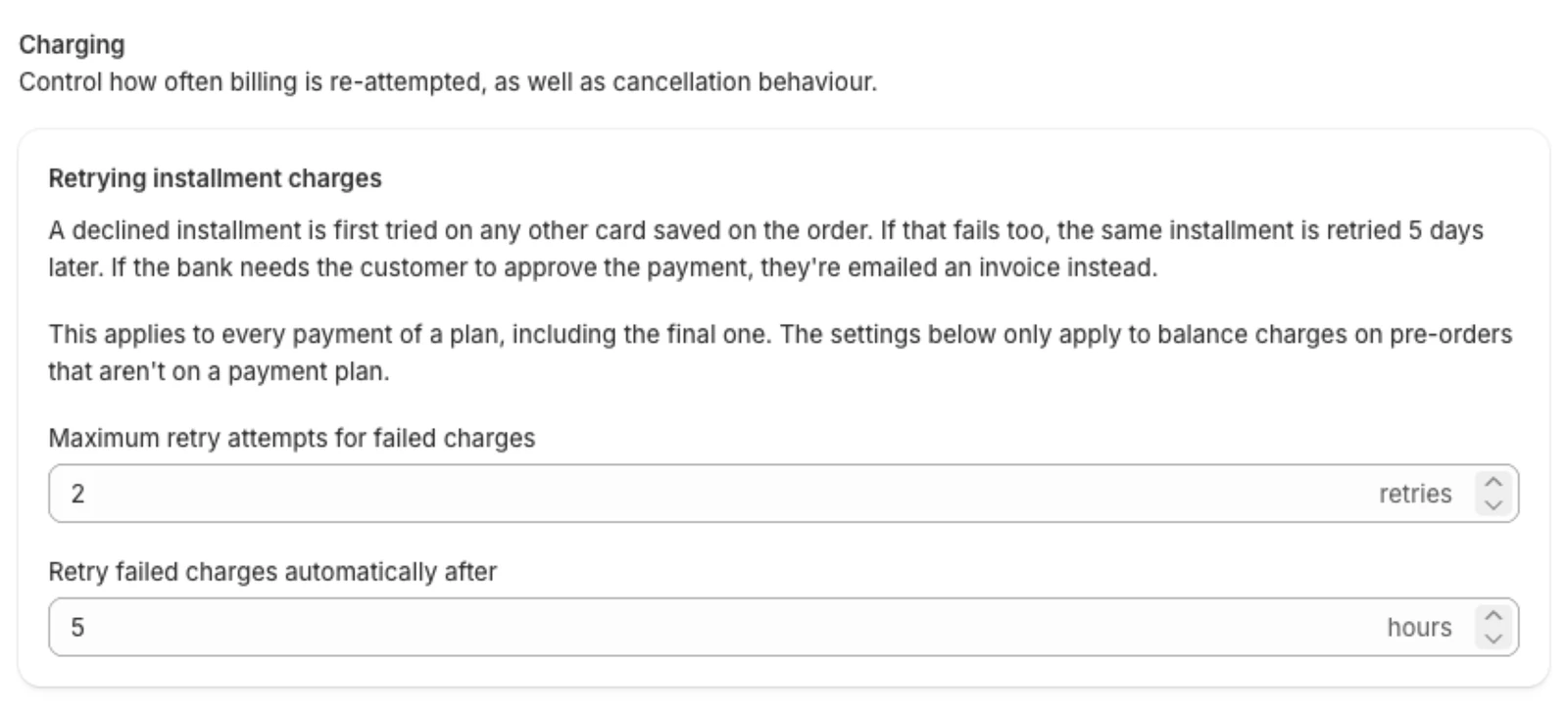
- Maximum retry attempts for failed charges: how many times to try again, from 0 to 4.
- Retry failed charges automatically after: how many hours to wait between attempts.
Keeping an eye on failed payments
- In Customer plans, filter by Has issue to see plans with a failed installment.
- On a customer's plan, hover over a failed installment to see the bank's reason. Check the event log for what the app has tried and when the next retry is.