Fulfillment holds
Hold payment plan orders until they're paid off, or release them straight away and ship upfront.
All docs
Every payment plan order is placed on a fulfillment hold in Shopify at checkout. You choose when that hold is released in Settings > Fulfillment.
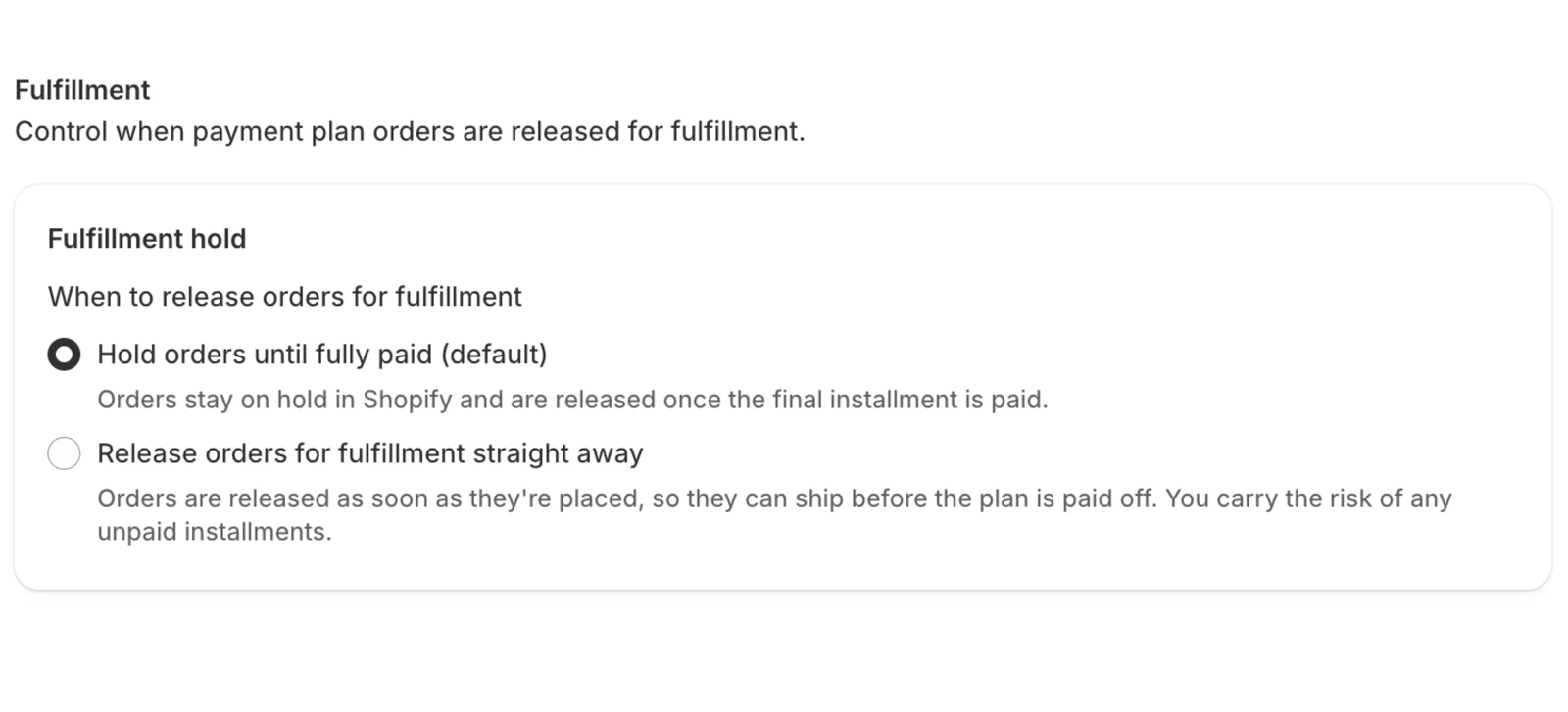
Hold orders until fully paid (default)
The order stays on hold until the final installment is paid, then the app releases it and it appears in your normal fulfillment flow.
This is the safe choice for most stores. If a customer stops paying, you haven't shipped anything.
Release orders for fulfillment straight away
The app releases the hold about 2 minutes after the order is placed, so you can ship right away while installments keep being charged. If Shopify hasn't put the hold in place yet, the app tries again a few minutes later.
Choose this when customers expect the item now, for example rentals or big-ticket items where you have a signed agreement with the customer.
You carry the risk of unpaid installments. Once the item has shipped, a customer who stops paying still has it. Failed charges are retried and invoiced as usual (see Failed payments), but the app can't take the item back.
Good to know
- The setting applies to orders placed after you change it. Orders already on hold stay on hold until they're paid off.
- When a plan finishes, the app releases the hold. If it was released straight away, nothing changes.
- Payment plan orders are tagged
payment_planin Shopify, so you can filter for them in your orders list.