What customers see
The payment plan option on the product page, what checkout shows, and how customers follow their plan after buying.
All docs
On the product page
The Payment Plans widget sits above the add to cart button on any product with a plan. It offers two kinds of option:
- Buy now, selected by default, to pay in full.
- A payment plan option, for example "Pay over 4 interest-free installments of $150.00". The customer picks the number of installments, from 2 up to the plan's maximum.
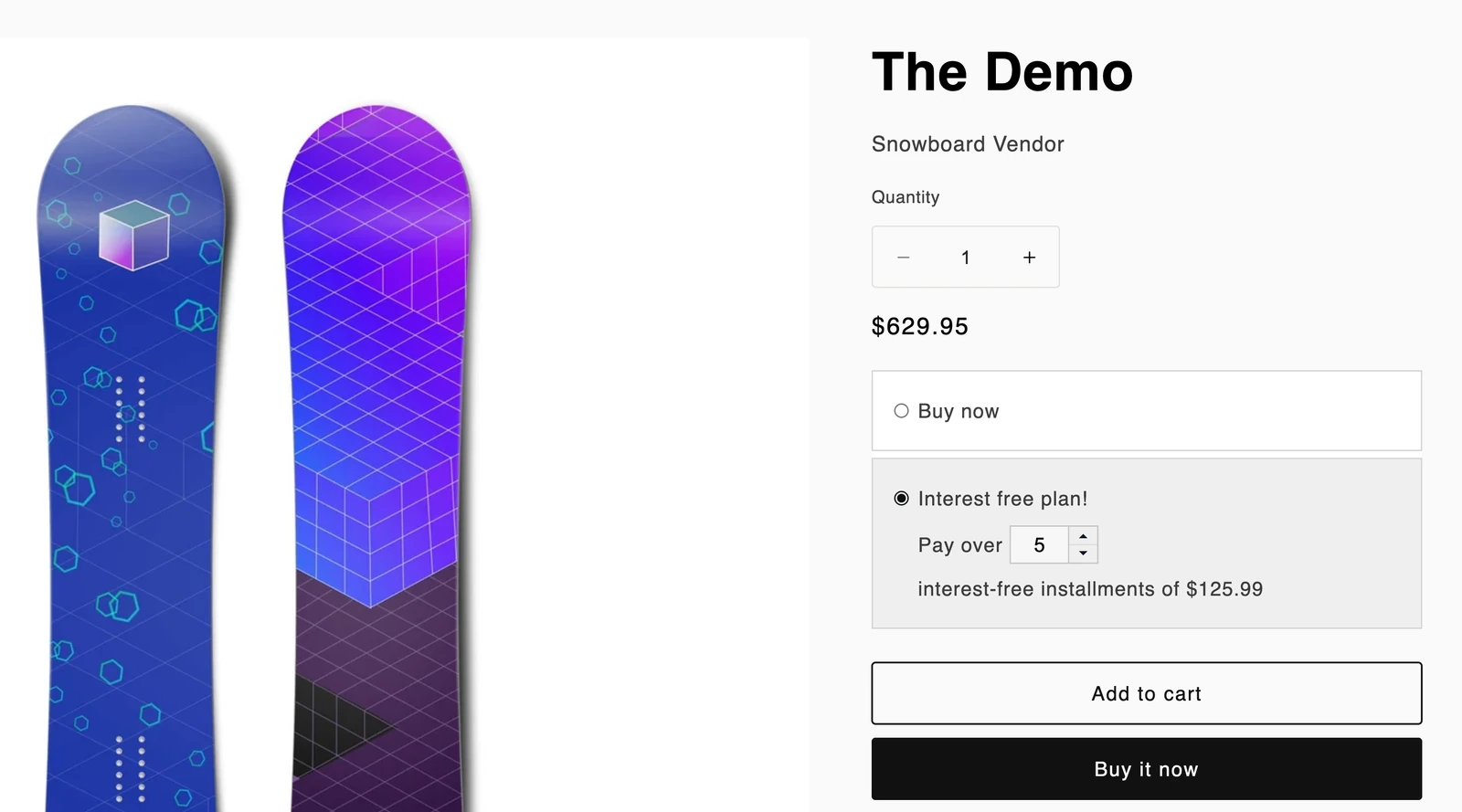
On products without a plan, the widget shows nothing.
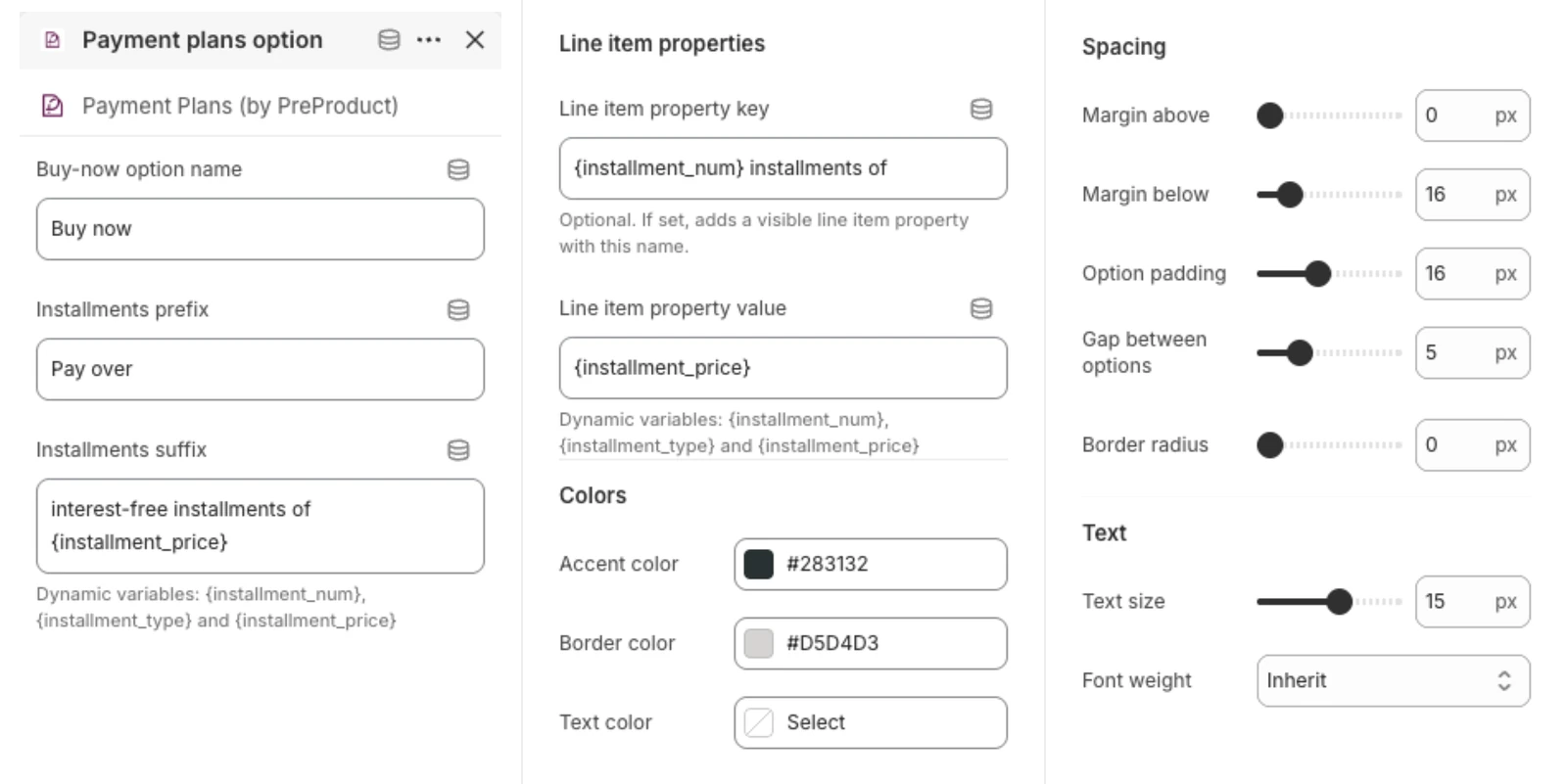
You can change the wording and look in the theme editor, in the Payment Plans block's settings: the Buy now label, the text either side of the installment count, colours, spacing and font size. The text can use {installment_price}, the item price divided by the chosen number of installments. It doesn't account for a discount or a non-Auto down payment, so it's a guide rather than an exact figure in those cases.
The widget replaces your theme's own subscription picker on products with a plan.
Adding to cart
In Settings > Redirects you choose what happens after a customer adds a payment plan item:
- Native (mixed cart): the item goes into the normal cart alongside anything else.
- Checkout: the cart is skipped and the customer goes straight to a checkout with just the payment plan item. If that can't be set up, it falls back to the normal cart.
At checkout
Shopify's checkout shows the plan name, what's due today (the down payment) and what's due later. The customer's card is saved against the order so the later installments can be charged. The order confirmation comes from Shopify as normal.
After the order
The Payment Plans block on the order status page shows the customer:
- how many payments the plan has and its status
- when the next payment is due
- each installment, with its amount and whether it's paid
- the expected ship date
The customer can cancel the plan from the block while it's active, after seeing your refund policy. The block uses Shopify's new customer accounts, and it's translated into English, French, German, Spanish, Italian, Dutch, Portuguese and Japanese.
Emails
The app doesn't send its own emails. Customers hear from Shopify: the order confirmation, an invoice if an installment needs them to pay it themselves (see Failed payments), and any refund notification. They aren't sent a reminder before each installment, so it's worth explaining the schedule in your product description or order confirmation.